


Blog
How to Use Juul 2 Starter kit for Beginner Guide

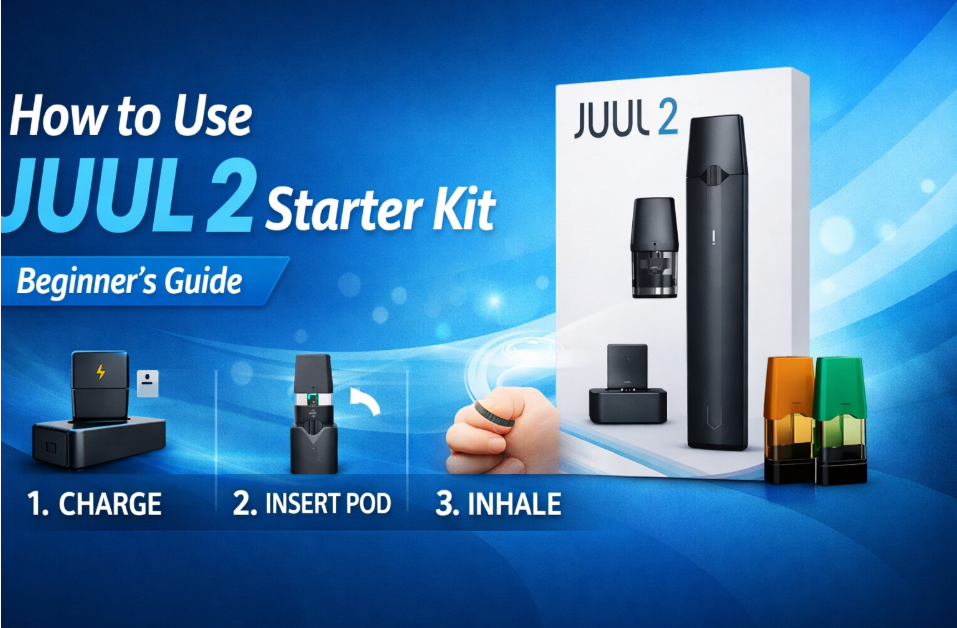
Juul 2 starter kit is a pod-based disposable vaping device designed for smokers who are seeking an alternative compared to traditional cigarettes.
For the beginners who don’t know how to use it, they can charge the device first, then insert a Juul 2 pod and inhale to activate it. Also replace it when the flavor is weakened.
Users who are going to use this device for the first time will notice its closed system, discretion, and mouth-to-lung inhale, which is recommended by UAE professionals.
So, by reading this user-benefited guide, you will learn how to use Juul 2 pod from initial setup to replacement.
Setup and Usage of JUUL 2 Starter Kit
Before using this disposable pod-based Juul device, setup is necessary to know because it’s an electronic e-cigarette. This device will not work if the setup process goes wrong, so the below steps are useful to know how to set it up:
Step 1: Charge the JUUL 2 Device
The device needs enough charge to operate smoothly. Having daily use will directly influence its overall performance. The integrated 330mAh battery simplifies usage habits and makes it more suited for continuous vaping.
- Connect the charger properly to the device.
- Make sure the charger connects into place correctly.
- Leave the device and the charger until it is fully powered.
- Wait until it gives you a green signal.
Step 2: Insert the JUUL 2 Pod
After charging, you need to place the pod into it. This pod has a small cartridge that stores the e-liquid. It is already filled and preserved, so you do not open it or add anything to it.
- Open the pod wrapper.
- Keep the mouthpiece facing up.
- Put the pod into the top opening.
- Push down gently until it stops.
Step 3: Activate the Device
This device will be ready to use when the pod is inserted. No need to turn on the device and no button to press. The device starts working when you take a puff, similar to how to puff a cigarette.
- Do not press anything.
- Place the mouthpiece between your lips.
- Take a slow puff similar to a cigarette.
- The device works automatically.
Step 4: Check LED Indicators
This device has a small light, which automatically turns on, so there’s no need to press anything. The light only exists to reveal to you whether the device needs charging or not.
- The device is fine if the light stays normal.
- If the light blinks, the battery is low.
- The light may appear when you take a puff.
- Blinking means you should charge the device soon.
Step 5: Start Vaping
After charging the device, place the pod inside it, and you can start using it. There is nothing else to set or adjust. You only need to puff gently, as similar as smoking a cigarette.
- Put the mouthpiece between your lips.
- Take a small, slow puff
- Wait a few seconds before the next puff.
- Stop if the light starts blinking.
How to Replace a JUUL Pod
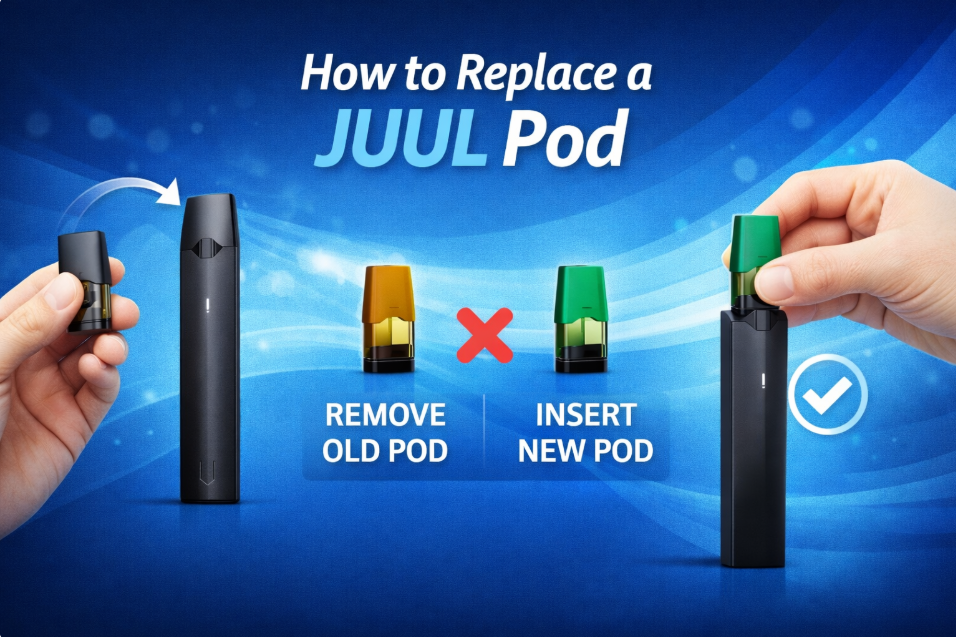
Before replacing this disposable pod system, the Juul 2 base kit, we need to check the device first and the juice condition; then we will replace another pod into the device. Below are given some issues we have to check before replacing it:
Check the Device Before Replacing the Pod
Before changing the pod, make sure you are not using the device. Replacing a pod while vaping can feel awkward and unnecessary. From personal use, the easiest time to replace a pod is when the device is resting in your hand or on a table.
- Stop vaping first
- Hold the device upright
- Do not replace while charging
- Make sure the device is calm
Take Out the Old Pod
Removing the used pod is simple. The pod is held in place by magnets, so pulling it up is easy. And if it’s stuck, slow down and pull up straight.
- Hold the device firmly.
- Pull the pod straight up.
- Do not twist the pod.
- Throw the used pod away.
Open a New Pod
New pods are capped to keep them clean and safe. This part is important, especially for people learning the Juul 2 setup for beginners, because touching the wrong area can affect performance. Handle the pod gently and keep it clean.
- Open the pod wrapper.
- Hold the pod by the sides.
- Keep the flat mouthpiece on top.
- Do not touch the bottom.
Put the New Pod Into the Device
Placing the new pod into the device should feel easy. There is a correct way to insert it. When done properly, the pod sits flat and does not move.
- Slide the pod into the top.
- Push down gently.
- Stop when it feels secure.
- Check that it sits evenly.
Use the Device Again
After replacing the pod, the device will be ready to use. No button to press or no settings to change. Just return to your normal vaping habit and pay attention to how it feels.
- Pick up the device.
- Take one slow puff.
- Check for vapor.
- Continue using it slowly.
JUUL 2 Overview & Product Review
JUUL 2 is a small electronic device for adults who already use nicotine strength. It is not complicated. It does not have many settings. It is made to work the same way every time. The company that makes it is JUUL Labs Inc., and they follow product rules.
The device is light. It is easy to carry. People can keep it in a pocket, bag, or car. In UAE offices, cafés, or travel situations, many users prefer something that does not look big or noticeable. This device fits that need.
The starter kit price is in the middle range. It is not cheap like disposable products. It is also not expensive. For people learning Juul 2 setup for beginners, this price feels acceptable because the device feels controlled and reliable.
- Bigger 330mAh battery works for short daily use.
- Lightweight size makes carrying easy and discreet.
- Price matches regulated, premium vape products.
FAQ of How to Use Juul 2 Base Kit for Beginner Guide
How do you use JUUL 2 for the first time?
First fully charged JUUL 2. Insert JUUL 2 pod. Put mouthpiece on lips. Inhale slowly. Device works automatically. No buttons. No settings. Just inhale like cigarette for beginners everyday use.
How long does JUUL 2 take to charge?
JUUL 2 takes about one hour to charge. When light turns green, battery is full and device ready for normal daily use again without confusion for first time users easily.
Does JUUL 2 have buttons?
JUUL 2 has no buttons. You do not press anything. Inhale through mouthpiece, and device produces vapor automatically, similar to smoking cigarettes for beginners with simple daily use habits easily.
Why is my JUUL 2 blinking?
Blinking light on JUUL 2 means battery is low. Charge device soon to continue using it normally without sudden stopping during daily use by beginners learning vaping basics safely first.
Is JUUL 2 good for beginners?
JUUL 2 is good for beginners. It is simple, has no settings, and gives cigarette-like inhale, helping smokers switch more comfortably from traditional cigarettes with less confusion daily usage.
Conclusion
JUUL 2 starter kit offers a simple, controlled vaping experience for adult smokers. With easy setup, no buttons, clear indicators, and beginner-friendly design, it supports smooth daily use and straightforward pod replacement without confusion or complicated adjustments.